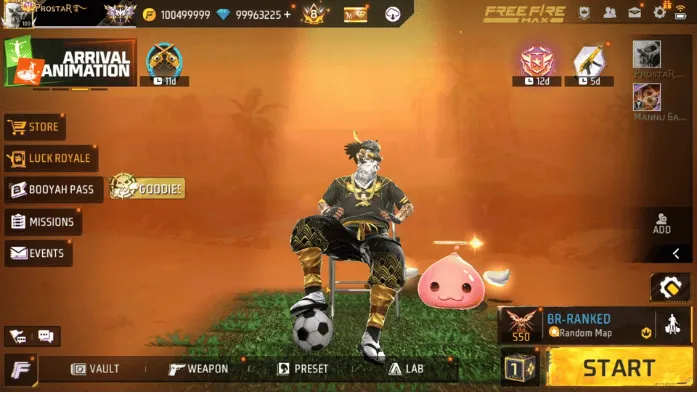
Why Your Internet is Fast but Free Fire Still Lags?
Even with fast internet, Free Fire can lag because fast internet speeds do not guarantee low or stable ping. Many players face this issue daily. Everything looks fine until the match starts. Then the game freezes, shots are delayed, and enemies teleport. In some cases, a Free Fire proxy server may help improve routing and connection stability when traditional fixes do not resolve the issue. It acts as a bridge between the gameplay and the server.
This problem is frustrating, especially when your connection seems perfect. The truth is Free Fire depends more on stability than speed. Here, you will learn why this happens and how to fix it easily.

What Does Lag Mean in Free Fire?
Before understanding why your game lags, it’s important to know what “lag” actually means in Free Fire. Lag is a delay between your action and the game’s response. You press a button, but the result appears late on the screen.
This delay affects movement, shooting, and skills, making gameplay feel slow and unresponsive.To understand this better, you also need to know about ping and FPS, because they are closely related to lag.
Ping is the time your data takes to travel to the game server and come back. Low ping means faster response, while high ping creates noticeable delay during matches. FPS (Frames Per Second) shows how smooth the game looks on your screen. Low FPS causes stuttering and choppy visuals, even if your internet is fast.
In short, lag, ping, and FPS are different, but they all work together. If any of them is unstable, your gameplay will not feel smooth.
Why Your Internet is Fast but Free Fire Still Lags – 7 Real Reasons
Here are the 7 real reasons behind the free fire lags with the good internet.
Poor Data Routing (Inefficient Network Path)
Your internet does not go directly to the Free Fire server. It travels through multiple network points called hops. If the route is long or congested, your game will lag even with fast internet.
You Are Playing on a Distant Game Server
Distance affects ping directly. If you are connected to a far server, like Europe or America, your data takes longer to reach, causing delay and lag in Free Fire.
Network Traffic During Peak Hours
At busy times, like evenings, many users share the same network. This creates network overload. Even with good speed, your ping increases and gameplay becomes unstable.
Packet Loss Problems
Packet loss means some game data never reaches the server. It causes teleporting enemies, delayed shots, and sudden freezes. Even a small percentage can affect gameplay badly.
Unstable Wi-Fi Connection
Wi-Fi may look strong but still be unstable for gaming. Walls, distance, and interference create small drops in connection, which lead to lag in Free Fire.
Background Apps Using Internet
Apps running in the background consume bandwidth. Apps like YouTube, Instagram, or updates reduce your available network speed and increase ping during gameplay.
Device Overheating and Performance Drop
When your device overheats, it reduces performance automatically. This affects both FPS and network processing, making Free Fire lag even if your internet is fine.
How to Fix Free Fire Lag Even with Fast Internet
Below are the important fixes you can try to solve this issue and reduce lag in Free Fire.
Connect to the Nearest Game Server
Open Free Fire settings and select the server closest to your location. Players in Pakistan and India usually get the best performance on the Asia server. A nearby server reduces distance, lowers ping, and gives smoother gameplay. This is the simplest and most effective fix for reducing lag instantly.
Switch Between Wi-Fi and Mobile Data
Not all networks perform the same in gaming. Sometimes mobile data gives a more stable ping than Wi-Fi, and sometimes the opposite is true. Test both connections during gameplay. Always choose the one that gives stable ping, not just high speed. Stability is more important than internet speed in Free Fire.
Close Background Apps Before Playing
Before starting Free Fire, close all unused apps running in the background. Apps like Instagram, WhatsApp, and YouTube can use data and memory without notice. This reduces available bandwidth and causes lag spikes. Clearing recent apps helps free up RAM and improves game performance.
Use Faster DNS Settings
Your default DNS from your internet provider may be slow. Switching to a public DNS like Google DNS (8.8.8.8) or Cloudflare (1.1.1.1) can improve connection speed. It helps your device connect to Free Fire servers faster and more efficiently, which can reduce delay and improve stability.
Restart Your Router Regularly
Routers can become slow after long use due to cached data and overload. Restarting your router refreshes the connection and clears temporary issues. Doing this before gaming helps improve stability and reduces random ping spikes during matches.
Keep Your Device Cool
Overheating can slow down your device performance. Avoid playing while charging and remove heavy phone cases. Heat reduces CPU performance and can cause lag in Free Fire. Keeping your device cool ensures smoother and more stable gameplay.
Lower Graphics Settings
High graphics settings put extra load on your device. This can reduce FPS and create lag-like effects. Go to Free Fire settings and select “Smooth” graphics. Lower settings help your device run the game more efficiently and reduce unnecessary pressure on hardware.
Use a Network Optimization Solution
If the issue is caused by poor routing between your device and the game server, a network optimization solution may help improve connection stability.
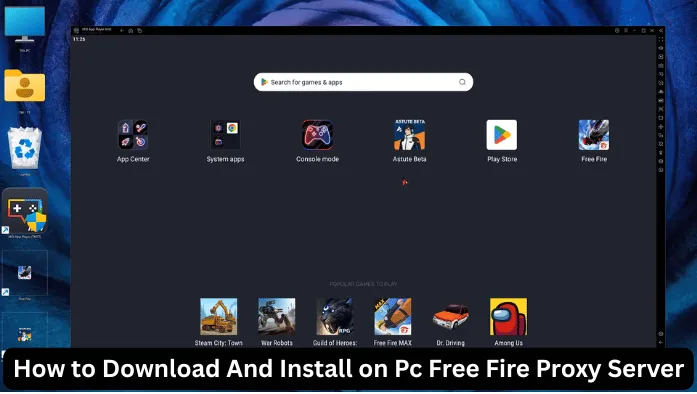
A Free Fire proxy server can provide an alternative route for your game traffic, which may reduce packet loss, improve routing efficiency, and help maintain a more stable connection during matches.
Results vary depending on your location, internet provider, and server conditions, but many players use this approach when standard troubleshooting methods do not solve lag issues.
When Should You Consider a Free Fire Proxy Server?
If you have already tried changing servers, optimizing your Wi-Fi connection, closing background apps, and improving your device performance but still experience lag, a Free Fire proxy server may be worth testing.
It can help provide a different network route between your device and the game server, which may improve stability in some situations.
Conclusion
Your internet is fast, but Free Fire still lags because speed and ping are two completely different things. The real causes are poor routing, peak-hour timing, unstable Wi-Fi, background apps, and device overheating. These problems affect gameplay even when internet speed is good.
The main focus should be on stability, not just speed. When your connection is stable and your device is optimized, the game runs much smoother. By fixing these real issues, you can reduce lag and enjoy better performance in Free Fire.